From the link to the deletion, it’s all covered
Everything a document goes through — sent, uploaded, scanned, downloaded, filed, deleted — happens in SealDrop, never in an inbox.
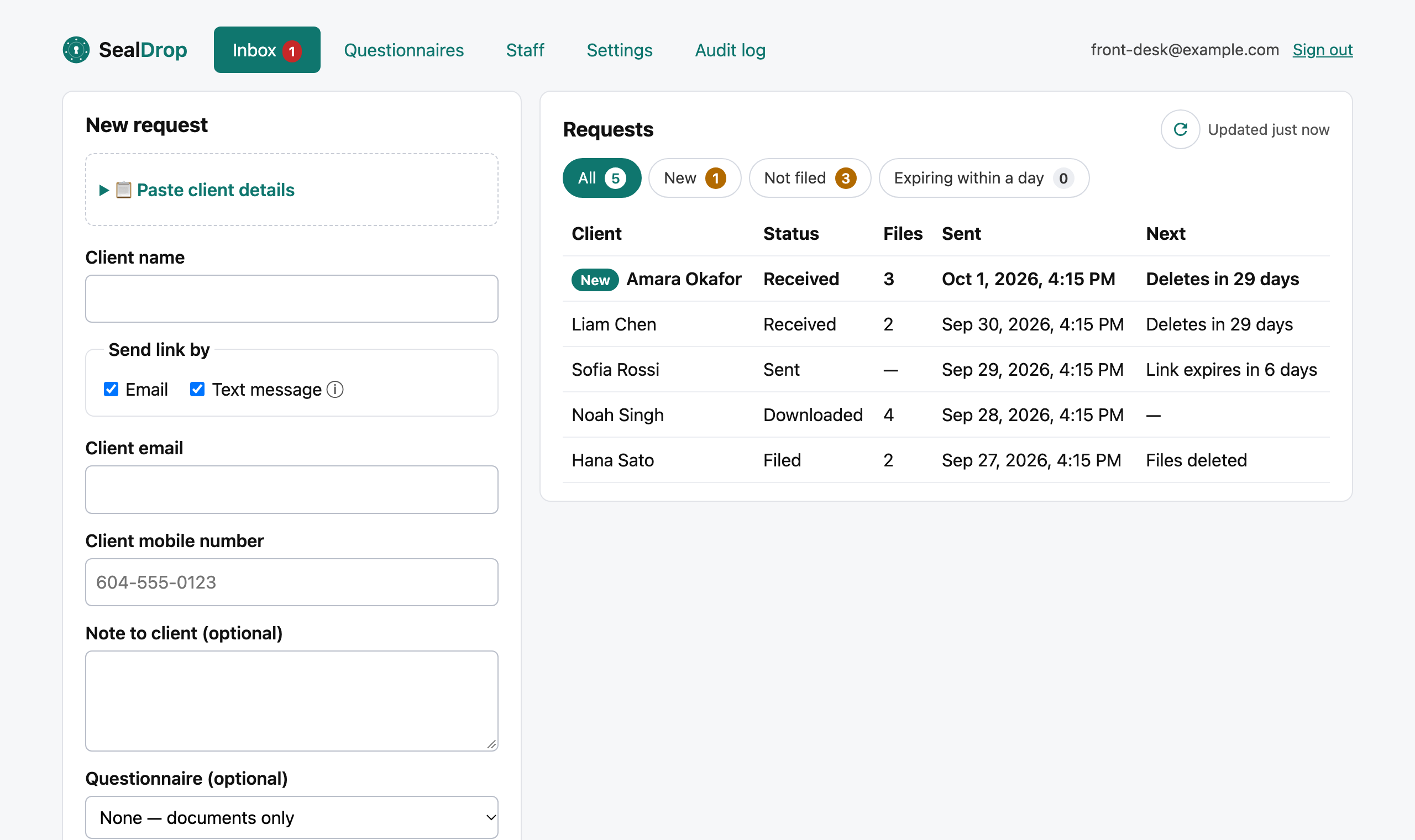
Paste details from anywhere
Paste a contact block from your EMR, CRM or email — name, email and mobile fill themselves in.
Email or text
Send links by email, or email and text on Pro, with automatic reminders before they expire.
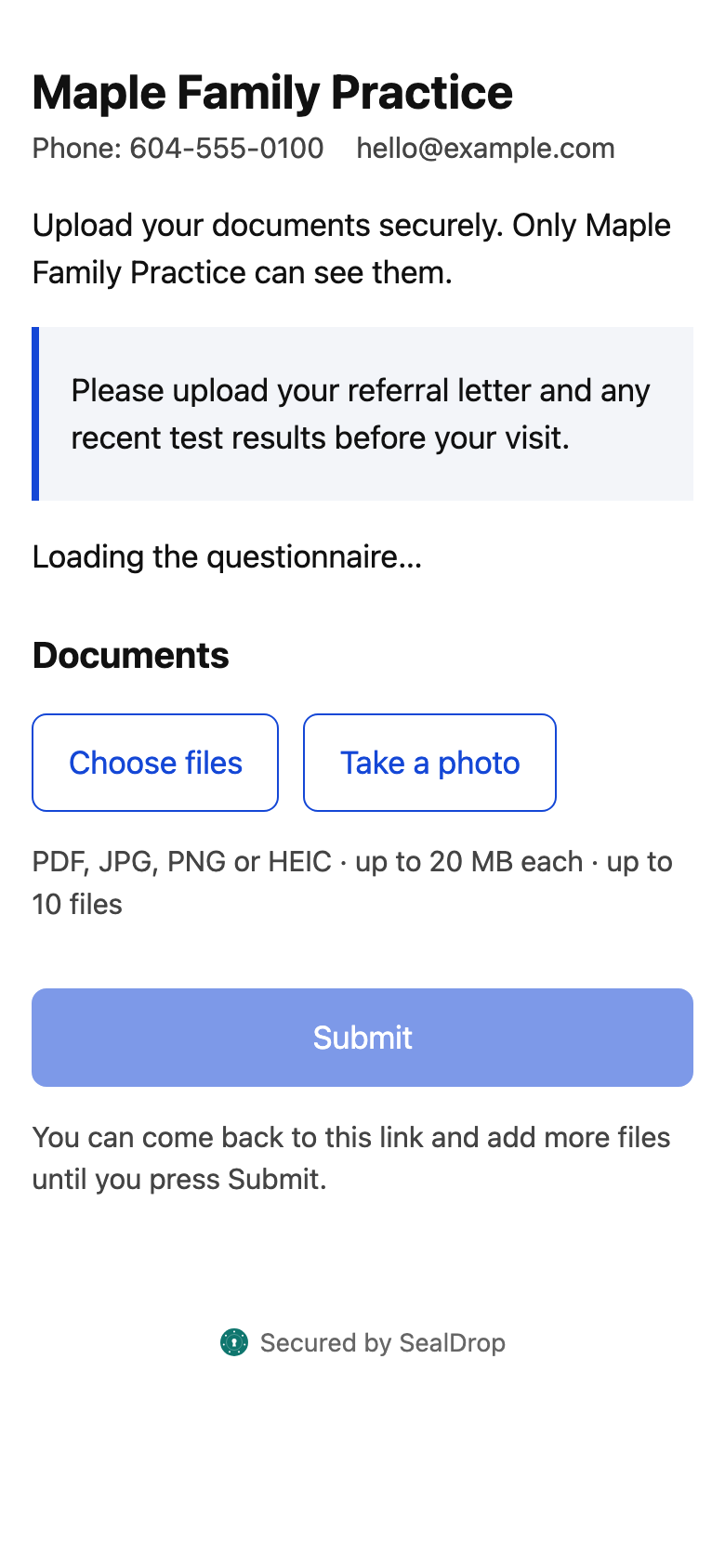
Nothing to install
No account, no app, no password. Photos straight from a phone camera, PDFs, forms and a signature.
Forms that file themselves
Intake, consent and application forms arrive as a signed PDF with a reference and QR code.
Malware-scanned
Every file is checked before anyone on your team can open it.
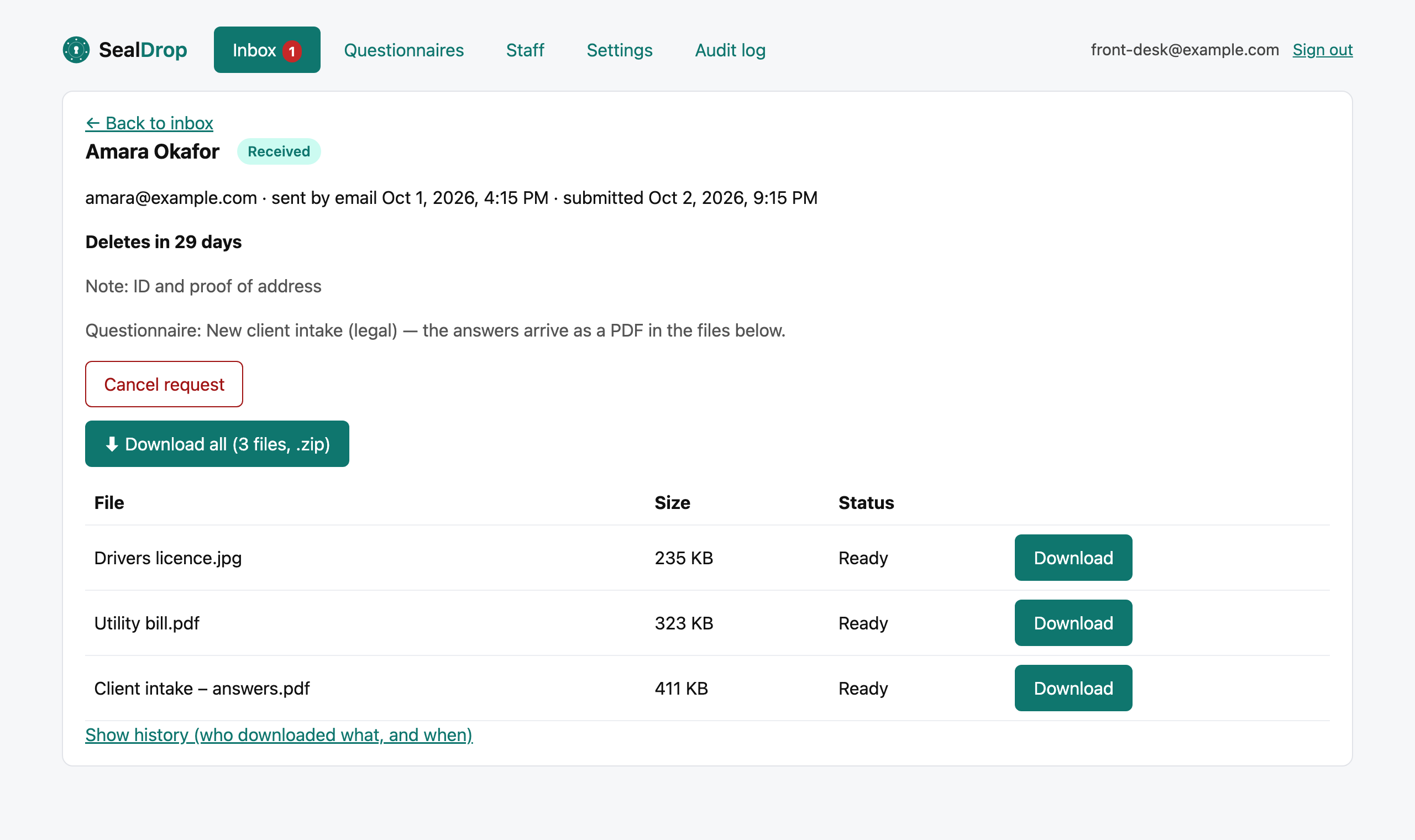
Download all as one zip
Files named with the person and reference, ready for your records.
Automatic deletion
Files go once you’ve filed them — 35 days at most. Personal details 90 days after a request closes.
Your team, your rules
Admin and staff roles, two-step sign-in, your logo, colours and wording.
Audit log
Who sent, opened, uploaded and downloaded what — export it any time.
Book a 15-minute demo See pricing
Questions
Can people send photos from their phone?
Yes: photos or files on any phone, including iPhone HEIC photos, and PDFs — up to 10 files of 20 MB each per link.
Can we use our own wording and logo?
Yes. Set your logo, colour, contact details and the wording of the email and text people receive.
Can we send links by text message?
Yes, on the Pro plan. Texts come from SealDrop’s Canadian number and contain no sensitive information.